Table of Contents
- Understanding Display Resolutions
- The Importance of High-Grade Displays
- Choosing the Right Display for Your Needs
- Proxy Workflow: A Game Changer
- Fast Storage Solutions
- Color Accuracy and Calibration
- Key Takeaways
- Frequently Asked Questions (FAQ)
Understanding Display Resolutions
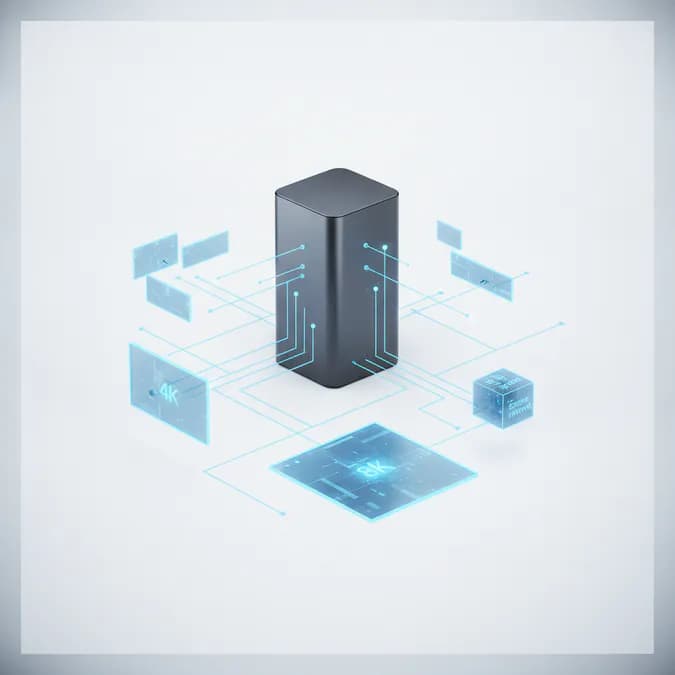
Display resolution refers to the number of pixels that compose the image on a screen. Higher resolutions provide more detail and clarity, which is essential for video editing. For 4K video, the resolution is typically 3840 x 2160 pixels, while 8K video boasts a resolution of 7680 x 4320 pixels. The increase in pixel count allows for finer details and more vibrant colors, making it easier for editors to work with high-quality footage. Research indicates that a higher display resolution significantly enhances the editing experience.
The Importance of High-Grade Displays
When it comes to video editing, not all displays are created equal. A high-grade 4K or 5K display is essential for achieving the best results. Here are some reasons why investing in a quality display is worth it:
- Enhanced Detail: High-resolution displays allow editors to see finer details in their footage, which is crucial for color grading and visual effects.
- Accurate Color Representation: Professional-grade monitors often come with advanced color calibration features, ensuring that the colors you see on screen are true to life.
- Improved Workflow: A larger, higher-resolution display can help streamline the editing process, allowing for better multitasking and more efficient use of screen real estate.
Choosing the Right Display for Your Needs
When selecting a display for 4K or 8K video editing, consider the following factors:
- Resolution: Opt for a 4K or 5K display to ensure that you can fully appreciate the detail in your footage.
- Color Accuracy: Look for displays that cover a wide color gamut, such as Adobe RGB or DCI-P3, to ensure accurate color representation.
- Panel Type: IPS panels are generally preferred for video editing due to their superior color accuracy and viewing angles.
- Refresh Rate: A higher refresh rate can improve the smoothness of playback, which is particularly important for fast-paced editing.
- Connectivity: Ensure that the display has the necessary ports (HDMI, DisplayPort) to connect to your editing hardware.
Proxy Workflow: A Game Changer
For those working with 4K and 8K footage, a proxy workflow can significantly enhance performance. This process involves creating lower-resolution copies of your video files for editing, which reduces the strain on your system. Once editing is complete, you can easily switch back to the original high-resolution files for final rendering. Here are some benefits of using a proxy workflow:
- Faster Editing: Lower-resolution files require less processing power, allowing for smoother playback and quicker edits.
- Reduced Storage Needs: Proxy files take up less space, making it easier to manage large projects.
- Compatibility: Editing with proxies can help avoid issues with playback lag or stuttering, especially on less powerful systems.
Fast Storage Solutions
In addition to a high-quality display, fast storage solutions are essential for efficient video editing. Solid State Drives (SSDs) are recommended over traditional Hard Disk Drives (HDDs) due to their speed and reliability. Here’s why SSDs are a better choice for video editing:
- Speed: SSDs offer significantly faster read and write speeds, which can drastically reduce loading times and improve overall workflow.
- Durability: With no moving parts, SSDs are less prone to mechanical failure, ensuring your data is safer.
- Efficiency: Faster storage allows for quicker access to files, enabling smoother editing experiences, especially when working with high-resolution footage.
Color Accuracy and Calibration
Accurate color representation is crucial in video editing, as it ensures that the final product looks as intended across various devices. To achieve this, consider the following:
- Calibration Tools: Use hardware calibration tools to ensure your monitor displays colors accurately. Regular calibration is essential for maintaining color fidelity.
- Color Profiles: Familiarize yourself with different color profiles and choose the one that best suits your project needs.
- Lighting Conditions: Ensure your editing environment has consistent lighting to avoid color perception issues.
Key Takeaways
Choosing the best display resolution for 4K and 8K video editing is a critical decision that can greatly influence the quality of your work. Investing in a high-grade display, utilizing a proxy workflow, and opting for fast storage solutions will enhance your editing experience and ensure that your final product meets the highest standards. By prioritizing these elements, you can create stunning video content that captivates your audience.
Frequently Asked Questions (FAQ)
What is display resolution?
Display resolution refers to the number of pixels that make up the image on a screen, affecting the clarity and detail of the visuals.
Why is display resolution important for video editing?
A higher display resolution allows editors to see finer details and accurately represent colors, which is essential for high-quality video production.
What should I look for in a display for video editing?
Look for high resolution, color accuracy, panel type, refresh rate, and connectivity options to ensure the best editing experience.
How does a proxy workflow benefit video editing?
A proxy workflow allows for smoother editing by using lower-resolution files, reducing system strain and improving playback performance.
What storage solution is best for video editing?
Solid State Drives (SSDs) are recommended for video editing due to their speed, durability, and efficiency compared to traditional Hard Disk Drives (HDDs).